ESTELLY Keynote Template: A Minimal Media Presentation Approach for Digital Storytelling
Understanding the ESTELLY Approach to Presentation Design
When you need to present ideas clearly and visually, the structure and style of your slides matter as much as the content itself. The ESTELLY Keynote Template takes a minimal media approach, meaning each slide is built as a unique composition rather than repeating the same layout across the deck. This shift away from standard templates is worth examining closely, especially if you create presentations for digital media campaigns, marketing proposals, or internal business updates.
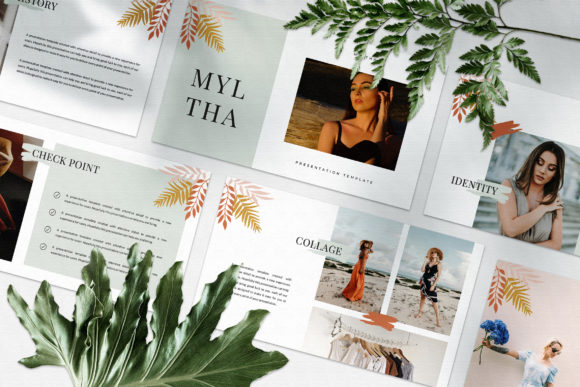
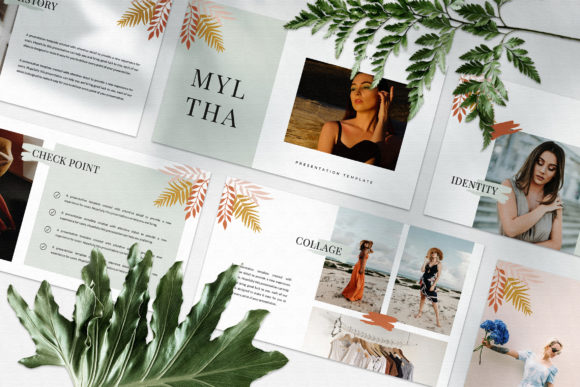
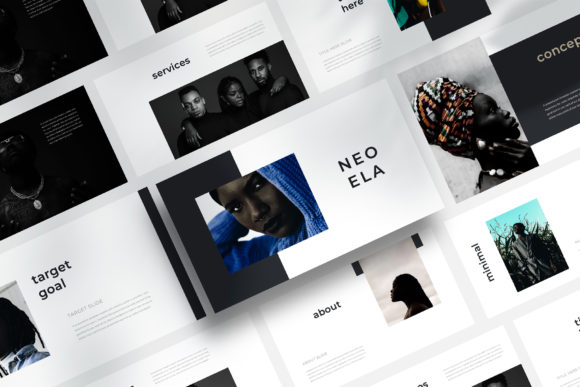
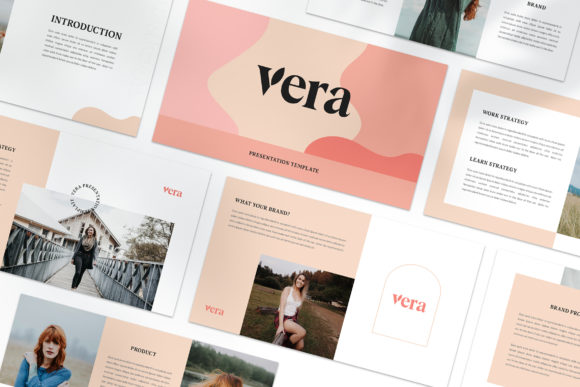
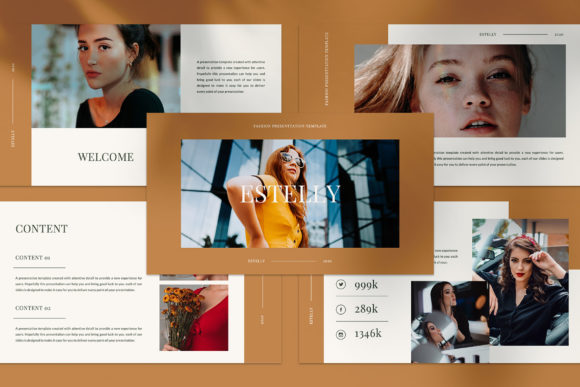
Unlike many templates that rely on a single master slide duplicated throughout, ESTELLY offers a collection of distinct layouts that follow a magazine and lookbook-inspired aesthetic. Each slide can stand on its own, which helps maintain audience attention and allows you to tell a story with visual rhythm rather than monotony. For anyone who has sat through a presentation where every slide looks nearly identical, the value of varied layouts becomes immediately clear.
What Makes ESTELLY Distinct from Other Keynote Templates
The core distinction lies in how ESTELLY handles layout variation. While many presentation templates provide a handful of slide masters that you reuse, ESTELLY provides multiple unique slide designs within one file. This is achieved through careful use of Slide Master and a deliberate editorial style borrowed from print magazines and lookbooks.
Unique Theme Colour and Automatic Colour Changes
One practical feature is the unique theme colour system that allows automatic colour changes across the entire presentation. This means you can adjust the colour palette once, and all slides update consistently. For marketing professionals who need to align presentations with brand guidelines, this can save significant time compared to manually recolouring individual slides. The automatic colour change also makes it easier to test different colour schemes without rebuilding the deck.
Full HD Resolution and Image Handling
At 1920x1080 Full HD, the template is built for modern screens and projectors. The drag-and-drop image placeholders are designed to accept your photographs or graphics directly, which is straightforward if you are familiar with Keynote’s interface. However, it is worth noting that the preview images shown in the template listing are not included—you will need to source your own visuals from free stock libraries like Unsplash or Pexels, or use your own images.
Free Fonts and Customisation Flexibility
The template uses free fonts, with links provided in the help instruction PDF. This is a practical advantage because it keeps costs low and avoids font licensing issues when sharing files with collaborators or clients. The overall editing process is designed to be accessible: you can replace text, swap images, and adjust layouts without needing advanced design skills. For users who want more control, the Slide Master structure allows deeper customisation of the underlying design elements.
Comparing ESTELLY with Other Presentation Template Styles
To decide whether ESTELLY fits your needs, it helps to consider how it compares with common alternative approaches. Not all presentation templates are created equal, and the best choice depends on your audience, content, and desired visual impact.
Magazine-Style versus Traditional Corporate Templates
Traditional corporate templates often prioritise consistency and brand conformity. Every slide has the same header position, footer, and colour block. This approach works well for internal reports, regulatory presentations, or situations where predictability is valued over visual variety. ESTELLY, by contrast, leans towards a magazine-style layout where typography, image placement, and text blocks shift from slide to slide. This can make a presentation feel more dynamic and editorial, which is especially effective when your content is visual or narrative-driven.
If your audience expects a uniform, traditional deck, the magazine approach may feel too varied. However, for creative pitches, brand storytelling, or digital media presentations, the lookbook style can set your work apart and signal attention to design quality.
Keynote-Specific versus Cross-Platform Templates
ESTELLY is built specifically for Keynote, Apple’s presentation software. This is a strength if you work primarily in the Apple ecosystem, as Keynote offers smooth animation, intuitive controls, and reliable rendering. However, if your workflow requires sharing files with users of PowerPoint or Google Slides, you may face conversion issues. While Keynote can export to other formats, layout and font fidelity are not always preserved. If cross-platform compatibility is a priority, you might need to weigh the benefits of a Keynote-exclusive template against more universal options.
Strengths and Tradeoffs of the ESTELLY Template
Every design choice brings tradeoffs. Understanding them helps you match the template to your specific project.
Strengths
- Visual variety: Unique slide layouts keep the audience engaged and prevent the fatigue that comes from repeating the same structure.
- Magazine aesthetic: The lookbook style is well suited for digital media, marketing, and creative storytelling.
- Efficient colour management: The automatic theme colour change reduces manual work when rebranding or adjusting palettes.
- High resolution: Full HD ensures sharp visuals on large screens and projectors.
- Free fonts: No additional font purchase or licensing complications.
- Drag-and-drop simplicity: Low barrier to entry for users who are not design experts.
Tradeoffs
- Keynote-only: Not suitable for teams that rely on PowerPoint or Google Slides as their primary tool.
- Images not included: You must source your own pictures, which requires time and attention to copyright.
- Less rigid consistency: The varied layouts may not suit formal or highly regulated presentation environments where strict uniformity is required.
- Learning curve with Slide Master: While basic editing is easy, deeper customisation requires understanding Keynote’s Slide Master functionality.
When ESTELLY Is the Right Choice
The ESTELLY Keynote Template fits best in scenarios where visual impact and storytelling are central to your presentation goals. Consider it for:
- Marketing campaigns: When presenting a campaign concept, the magazine-style layouts help convey mood, lifestyle imagery, and brand narrative effectively.
- Digital media portfolios: Designers, photographers, and content creators can use the lookbook approach to showcase their work in a way that feels curated rather than clinical.
- Client proposals and business pitches: A unique, well-designed deck can differentiate your proposal and signal professionalism without relying on flashy effects.
- Internal creative reviews: Teams working on branding or advertising projects can use the template to present ideas in a format that mirrors the final media output.
In these contexts, the minimal media approach supports rather than distracts from your message. The layout variations become part of the narrative arc, guiding the audience through the content at a natural pace.
When You Might Need an Alternative
There are also situations where ESTELLY may not be the best fit. If you are preparing a very long, data-heavy presentation with many charts and tables, the magazine style can become difficult to maintain. Traditional templates with dedicated chart layouts and consistent data visualisation areas may serve you better.
Similarly, if you work in an environment where presentation templates must follow strict brand guidelines with fixed positioning of logos, headers, and footers, the flexible layout approach might require additional effort to enforce compliance. In such cases, a more rigid template or a custom-built Keynote file aligned to your brand manual could be more practical.
For teams that collaborate across Windows and Mac, or that frequently share files with external partners who do not use Keynote, the limited cross-platform compatibility is a genuine constraint. You would need to test exported versions carefully or consider a template built for the most common platform used in your workflow.
Decision Factors to Consider Before Choosing
To make an informed decision, evaluate the following factors against your specific needs:
- Audience expectations: Will they respond better to a varied, editorial look or a consistent, corporate structure?
- Content type: Is your presentation image-heavy and narrative? Or does it rely on dense data and text?
- Platform: Are you and your entire audience using Keynote, or do you need to export to other formats regularly?
- Customisation effort: Do you have the time and skill to customise the template beyond basic text and image swaps? If you want to change the underlying structure, you need comfort with Slide Master.
- Brand requirements: How flexible are your brand guidelines? Can you accommodate varying slide layouts, or must every page conform to a fixed grid?
- Image sourcing: Do you have a library of high-quality photographs or graphics ready? The template’s effectiveness depends on strong visuals.
Practical Example: Marketing Campaign Presentation
Imagine you are presenting a new lifestyle campaign for a premium product. You want to show mood shots, product details, typography treatments, and campaign slogans in a sequence that feels like flipping through a glossy magazine. ESTELLY allows you to open with a full-bleed image on one slide, follow with a text-overlay layout, then a product grid, then a pull quote with background texture—all without repeating the same structure. The automatic colour theme lets you match the brand palette instantly, and the free fonts keep the look consistent without extra cost.
If you instead used a standard corporate template, each slide would likely have the same layout, making the presentation feel more like a report and less like an experience. The choice depends on whether you want to inform or immerse your audience.
Final Perspective on the ESTELLY Keynote Template
The ESTELLY template offers a distinctive approach for those who value design variety and editorial aesthetics in their presentations. It is not a universal solution, but it does fill a specific need well: helping presenters create decks that feel less like templates and more like curated visual stories. By understanding its strengths and limitations, you can decide whether this minimal media approach aligns with your content, audience, and workflow.
For buyers and users who choose ESTELLY, the template provides a solid foundation that can be adapted to many creative and professional contexts. The key is to pair its design capabilities with your own strong content and images, ensuring that the final presentation looks presentable and purposeful in front of any audience.