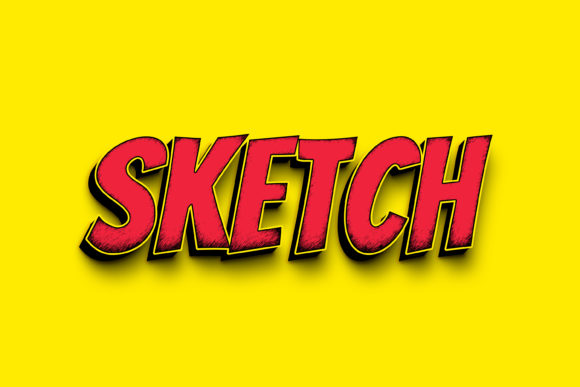
Sketch 3D Text Effect PSD for Smart Designers
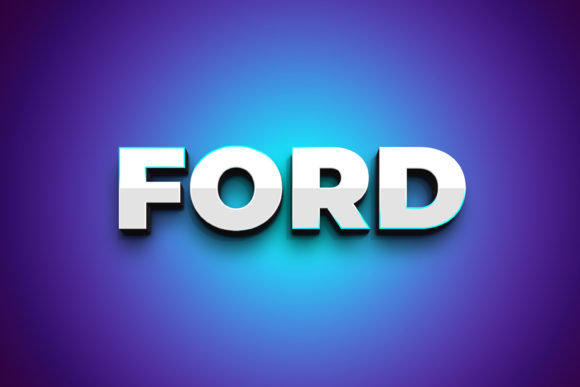
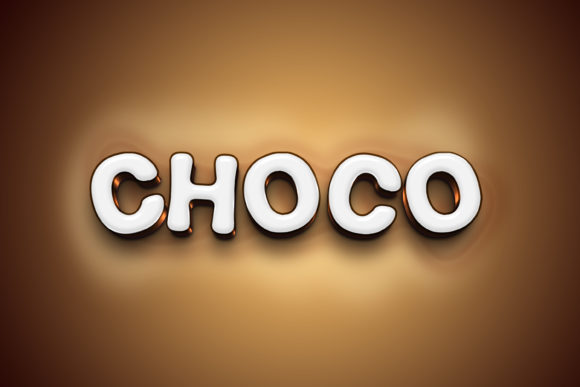
Every designer knows the pull of a bold, dimensional headline. Flat text can get lost in a busy layout, but a well-crafted 3D effect grabs attention and holds it. The Sketch - 3D Text Style Effect PSD delivers exactly that kind of visual weight without forcing you to rebuild complex layer styles from scratch. It gives you a polished, dimensional look that works for everything from social media headers to print posters, all within a file that respects your time and creative flow.
This PSD is built around a practical truth: you do not need to be a 3D rendering specialist to get professional results. The file arrives at 3000×2000 pixels with 300 dpi, so the output stays crisp whether you are exporting for a screen or sending to a printer. The key feature is the smart object system. Double-click the layer labelled “Double-Click to Change,” type your own text or insert a shape, save, and close. The 3D style applies itself automatically. That is the entire workflow. No filters to guess at, no extrusion settings to tweak. Just replace, save, and move on.
What Makes the Sketch 3D Style Worth Your Time
The value of a PSD like this lies in the details that are already handled. The shading, the bevel edges, the highlight placements, and the shadow depth are all balanced inside the file. When you edit the smart object, your new text inherits that same lighting and dimensionality. This consistency saves you from having to match angles or colour gradients manually across different pieces of a project.
For anyone who works with multiple brand assets or campaign variations, this repeatability is a real time saver. You can create a series of promotional headers, each with a different message, and every single one will share the same visual quality. The organised layers also mean you can switch out background colours, adjust shadow opacity, or tweak the highlight intensity without digging through a messy layer panel. Everything is labelled and grouped. That clarity matters when you are under deadline pressure or revisiting a file after several weeks.
Creative Applications Across Different Audiences
The strength of this effect is its flexibility. It does not lock you into one specific mood. Because the 3D styling is clean and the resolution is generous, you can adapt it for several contexts without losing quality.
For marketers and small business owners
You might use it for a limited-time sale banner. Big, dimensional text that says “50% Off” or “Flash Sale” stops scrolling thumbs on a phone screen. The high pixel count means the same file can work as a Facebook cover image, an email header, or a printed window sign. You get one consistent look across all touchpoints. The smart object system also makes it easy to update the offer each week without recreating the entire design. Swap the text, save, and the new version is ready to export.
For educators and course creators
If you teach online or run a workshop, titles for your modules or lesson slides need to be readable at a glance. A flat title on a presentation slide can feel weak. Using this 3D effect on key module titles adds a sense of progression and polish. It signals to students that the material has been prepared with care. You can also use it to highlight key vocabulary in language lessons or to label sections in a digital workbook. The dimensional text acts as a visual anchor that helps learners navigate the content.
For bloggers and content creators
Your blog post titles and video thumbnails compete for attention in crowded feeds. A 3D text effect can make your headline pop against a photographic background. Try using it for a series of posts on the same topic. If you are running a month-long series on design tips, keep the text style consistent while changing the background colour or image each week. Readers start to associate that dimensional look with your series, which builds recognition and trust over time.
For freelancers and hobbyists
Creative projects like event invitations, personal branding, or gift prints benefit from a touch of depth without looking overproduced. You can use the effect for a party invitation headline, a thank-you card for clients, or even a motivational quote to hang in your workspace. Because the PSD includes a preview JPG and a readme file, you can send the final version to a print shop with confidence that the colours and layout are exactly as you intended.
Practical Ideas for Staying Original and Effective
The smart object layer accepts both text and vector shapes, which opens up more than just word-based designs. Consider inserting a logo mark, a monogram, or an icon. That way you get a dimensional graphic that matches the style of your text. If your brand uses a specific symbol, applying the same 3D treatment creates a cohesive visual system across your materials.
Another approach is to combine the effect with a textured background. The default background in the PSD is clean, but you can add subtle paper grain, a gradient mesh, or a photograph behind the text. The dimensional letters will sit on top of that texture, creating contrast. If the background has motion or detail, keep the text positioning slightly offset from the centre to allow the background to breathe. This composition trick works especially well for YouTube thumbnails or magazine-style headers.
Do not be afraid to adjust the colour palette inside the 3D style itself. The organised layers let you target highlights, midtones, and shadows separately. If your brand uses a specific blue, for example, you can recolour the effect to match. The lighting direction stays intact, so the dimensional feel is preserved. This is where the file moves from being a template to becoming a genuine part of your brand toolkit.
Keeping Your Work Clear and Audience-Friendly
With great dimension comes great responsibility. A common mistake with 3D text is overcomplicating the layout. Because the effect already carries visual weight, you do not need to add heavy drop shadows, glows, or multiple outlines. Let the bevel and lighting do the work. Pair the text with simple, clean graphic elements rather than competing effects. A flat line, a minimal border, or a soft background gradient will complement the dimensional text without overwhelming it.
Readability should also guide your font choices. Script fonts or highly decorative typefaces can look chaotic when rendered in 3D. Stick to sans-serif or slab-serif fonts with clear counters and consistent stroke widths. The thick edges of a bold font catch the light well and maintain legibility at smaller sizes. If you want to use a thinner font, keep the point size generous so the dimensional details remain visible.
When you output the file for different platforms, check the text at the actual display size. A 3D effect that looks crisp at 2000 pixels wide may lose definition when scaled down for an Instagram story. In those cases, consider increasing the contrast between the text colour and the background, or place the text on a solid colour band to separate it from busy imagery. The PSD’s 300 dpi resolution gives you room to downscale gracefully, but always preview the smallest version before finalising.
Adapting the Effect for Different Formats and Platforms
The same PSD file can serve multiple formats if you plan ahead. For a print poster, you have the resolution and size already. Export as a high-quality JPG or PNG and send it to the printer. For a website hero section, you might crop the canvas to a wider aspect ratio or place the text over a dark gradient to ensure the 3D effect stands out against a white page background.
For video thumbnails, keep the text centred or slightly left-aligned with room for a face or product image on the opposite side. The 3D style will compete with less visual noise than a thumbnail full of overlapping elements. You can also duplicate the smart object layer and scale one copy slightly to create a layered depth effect behind the main text, though the single-layer version is often enough for a clean look.
If you collaborate with a team, the organised layers and readme file become useful handover tools. Another designer can open the PSD and understand instantly which layer to edit. No confusion, no broken links. That kind of file hygiene makes a professional impression and reduces revision requests.
A Practical Workflow Worth Keeping
The Sketch - 3D Text Style Effect PSD fits into a workflow that values both quality and speed. Open the file, double-click the smart object, paste your text or shape, save, and close. The layer styles remain intact, and your new content inherits the full dimensional treatment. You can repeat this process for every headline in a campaign, every module title in a course, or every post in a social media series. The consistency builds recognition, and the editable layers give you room to adapt when a project demands a different colour or background.
For designers, the file is a reliable shortcut to a polished look without sacrificing originality. For non-designers, it removes the guesswork around light angles, gradient settings, and shadow positioning. The result is a professional-grade effect that anyone can apply, whether you are preparing a one-off poster or a library of branded assets. The PSD file, the preview JPG, and the readme are all you need to get started. And because the file is yours to edit, every project can carry your own message behind that clean dimensional finish.